Querying Elastic from PowerShell
Get API Key
- Open DevTools in Kibana
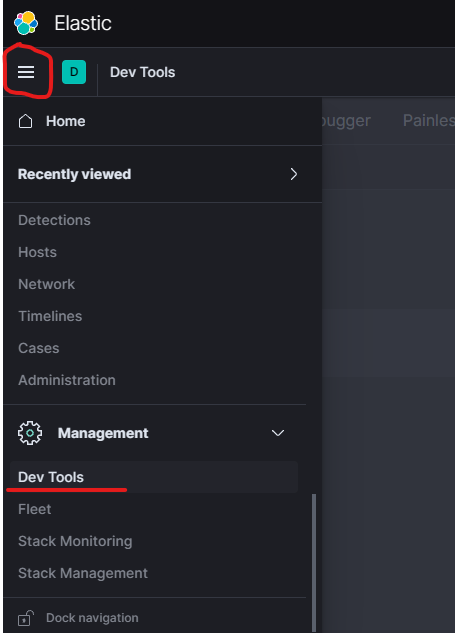
- Call the API to generate a key. More info here
POST /_security/api_key
{
  "name": "my-api-key" // Make sure to give it a good name!
}
Response:
{
  "id" : "abcxyz",
  "name" : "my-api-key",
  "api_key" : "***************"
}
Query Elastic programmatically
$apiKeyId = "abcxyz"
$apiKeySecret = "***************"

$base64AccessToken = [Convert]::ToBase64String([System.Text.Encoding]::UTF8.GetBytes("$($apiKeyId):$apiKeySecret"))
$headers = @{"Authorization"="ApiKey $base64AccessToken"; "Content-Type"="application/json"};

$body = ConvertFrom-Json '
{
  "query":{
    "match_all":{}
  }
}';

Invoke-WebRequest -Uri "https://a4896ae7a3cf45b591aeee70548669dc.northeurope.azure.elastic-cloud.com:9243/_search"
                  -Headers $headers
                  -Method Post
                  -Body $body