Bulk Processing Elastic Query Results
Synopsis
Assume you are in a situation when you have to investigate the outcome of multiple different events in the logs. I.e. you need to run one query in Kibana, then pick up some data (RUID or request body property and etc.) from each log item and run a separate query for that particular item.
Step 1
Get the initial query in Kibana and grab the raw response.
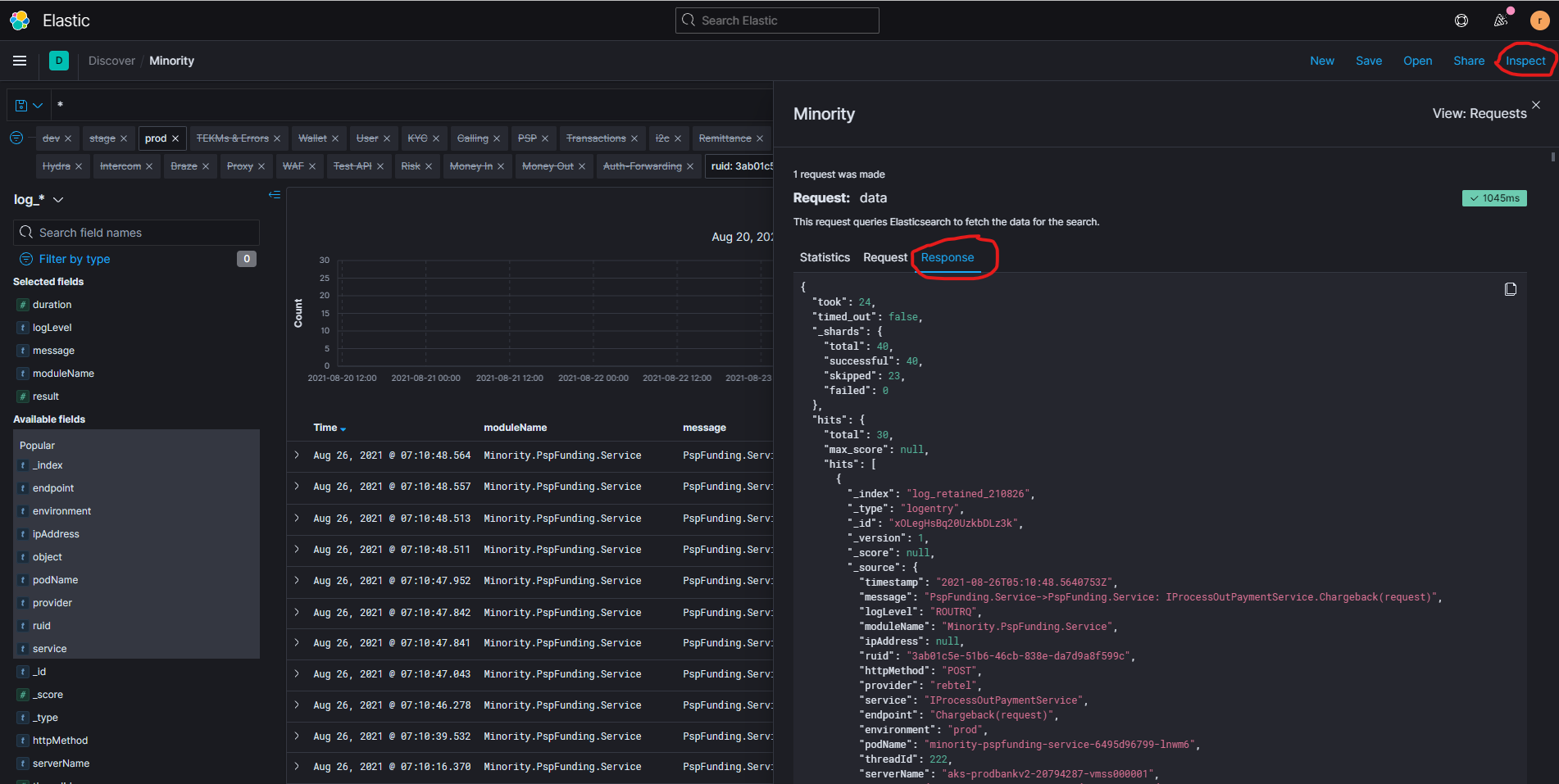
- Define a query in Discover section in Kibana.
- Click Inspect, then Response and copy the raw JSON.
Step 2
Collect necessary data from the response.
##  Read JSON file
$response = cat C:\Users\roman\Downloads\ProcessOutRequests.json | ConvertFrom-Json

##  Get found items (response.hits.hits)
##  Select _source.object property value from each item
##  Deserialize each JSON string from object property
##  Get object.RequestPathArguments.request.event_id values from each found log record
$eventIds = $response.hits.hits |
              ForEach-Object -Process {$_._source.object} |
              ConvertFrom-Json |
              ForEach-Object -Process {$_.RequestPathArguments.request.event_id}

##  Pick up non-empty, unique ruids from all found items in Kibana
$ruids = $response.hits.hits |
           ForEach-Object -Process {$_._source.ruid} |
           Where-Object {[System.String]::IsNullOrEmpty($_) -eq $false} |
           Select-Object -Unique
Python version
import json
import datetime
import os
##  Opening JSON file
f = open('users.json')
##  returns JSON object as
##  a dictionary
data = json.load(f)
##  Iterating through the json
##  list
for i in data["rawResponse"]["hits"]["hits"]:
    #print(i["_source"])
    #print(i["_source"]["object"])
    j = json.loads(i["_source"]["object"]) #object is json within the json.
    print(j["EventBody"]["AccountId"])
##  Closing file
f.close()
Step 3
Generate query string for the next search
##  RUIDs search string: ruid:"xxxx-xxxx-xxxx-xxxx" OR ruid:"yyyy-yyyy-yyyy-yyyy"
$ruidStrings = $ruids | Select-Object -Unique | ForEach-Object {"ruid:`"$_`""}
$searchQuery = [System.String]::Join(" OR ", $ruidStrings)