VPN Installation
Cloudflare Warp Client
Please note that the UI of below screenshots may vary depending on the platform.
You can download the Cloudflare Warp Client from the below link
Once you have installed the application you should see this screen upon opening
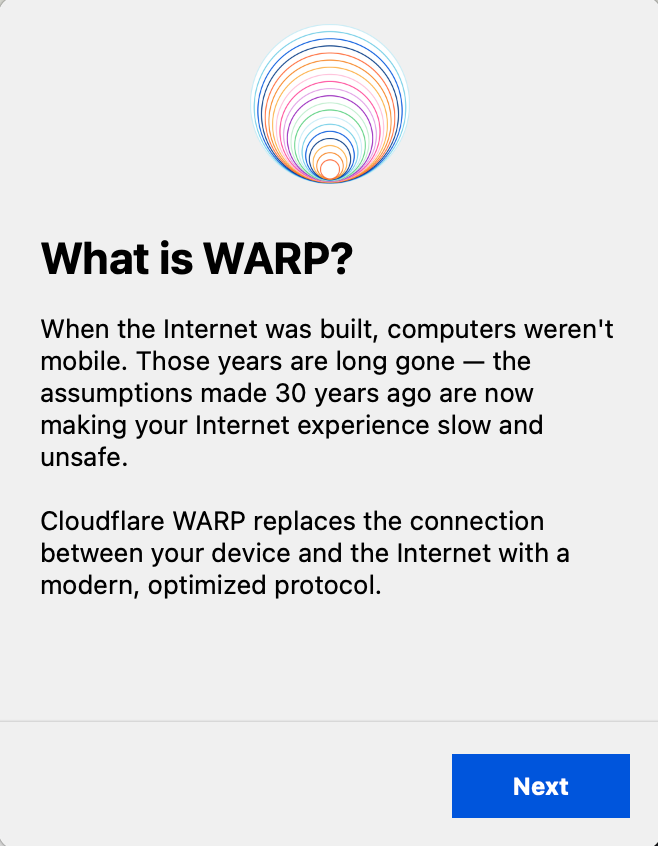
Click on Next and Accept the terms and you will reach this screen
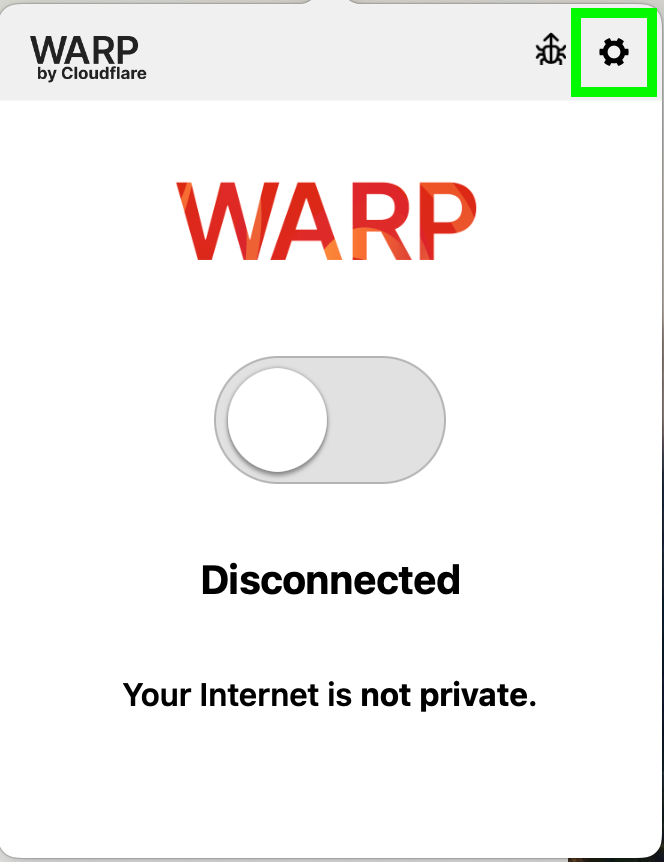
Click on the Settings icon. UI may vary between Windows and Mac
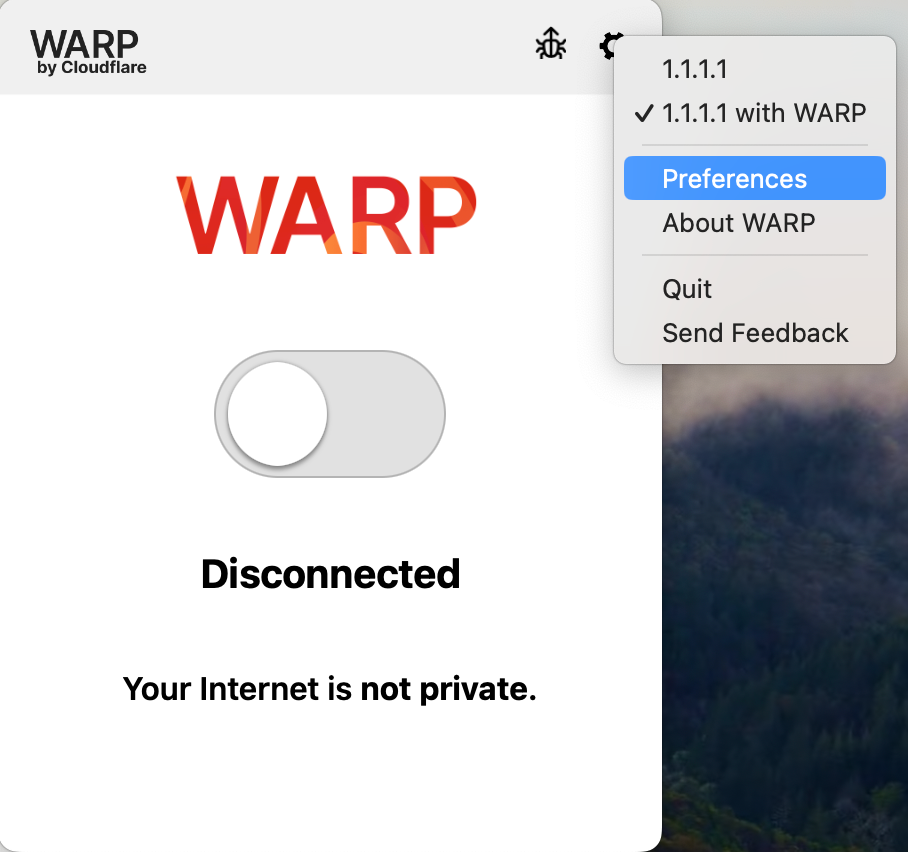
Click on Preferences
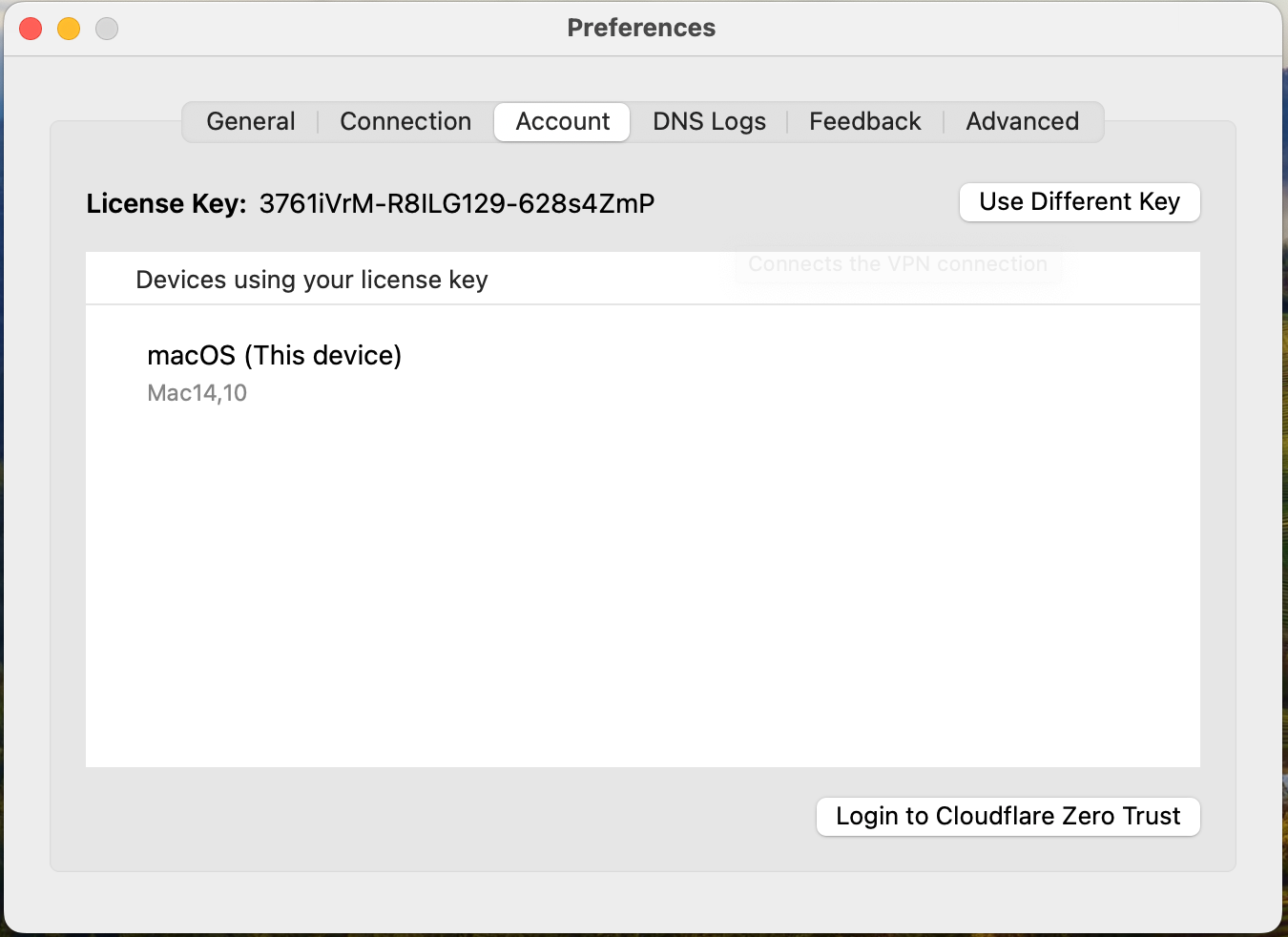
Click on Account and then click on Login to Cloudflare Zero Trust
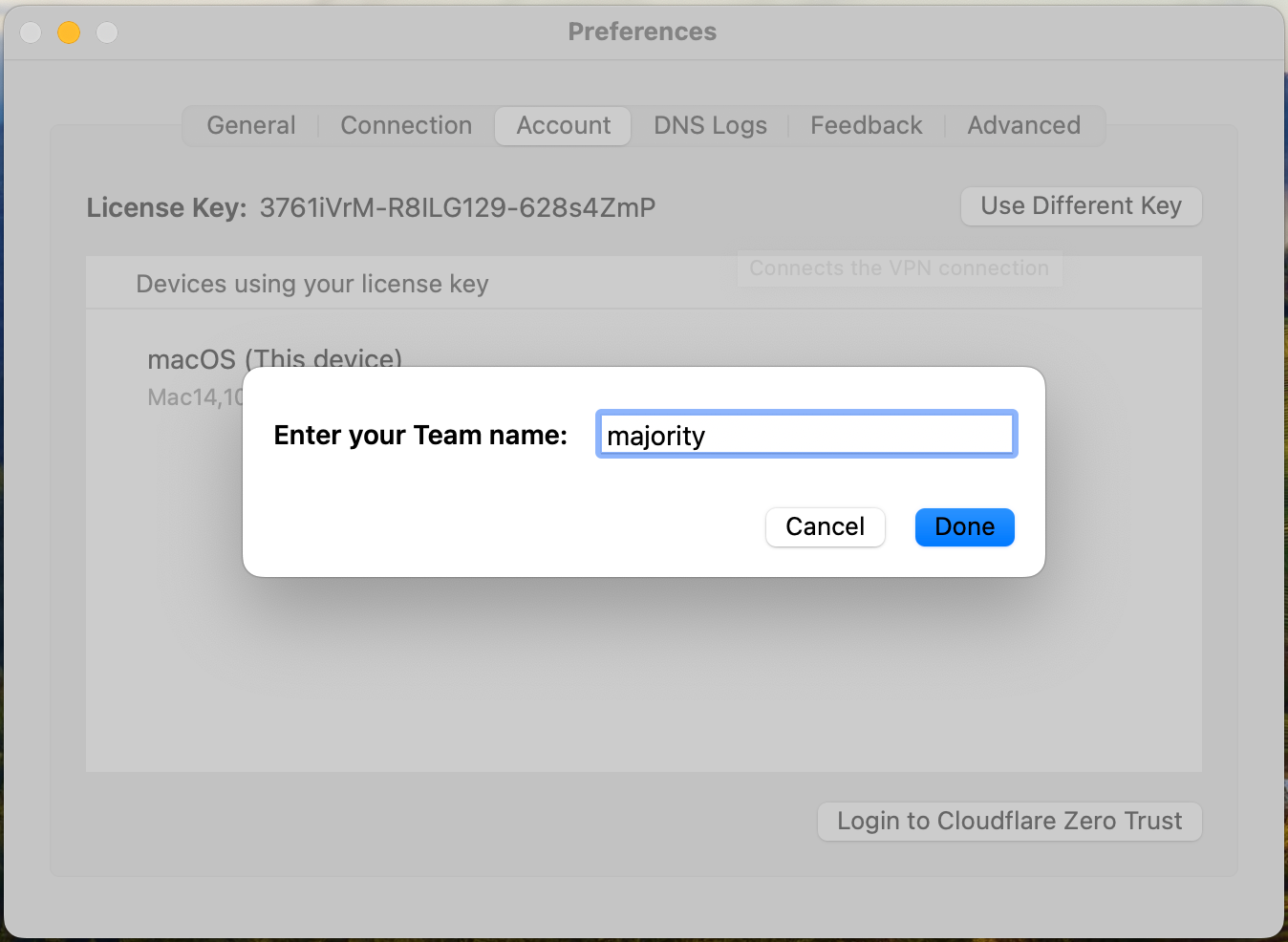
When prompted for your team name enter majority and click on Done
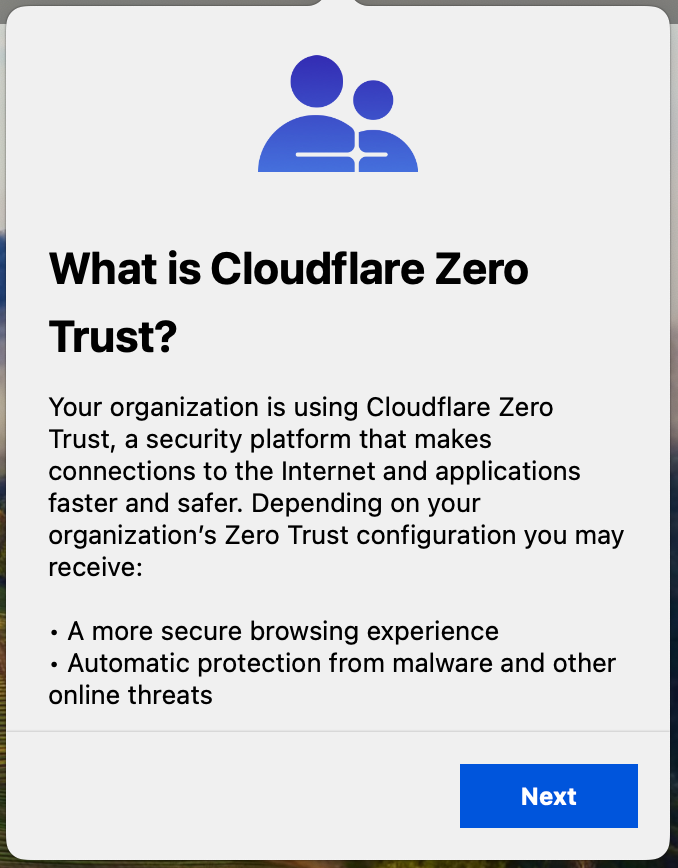
Click on Next and Accept the terms
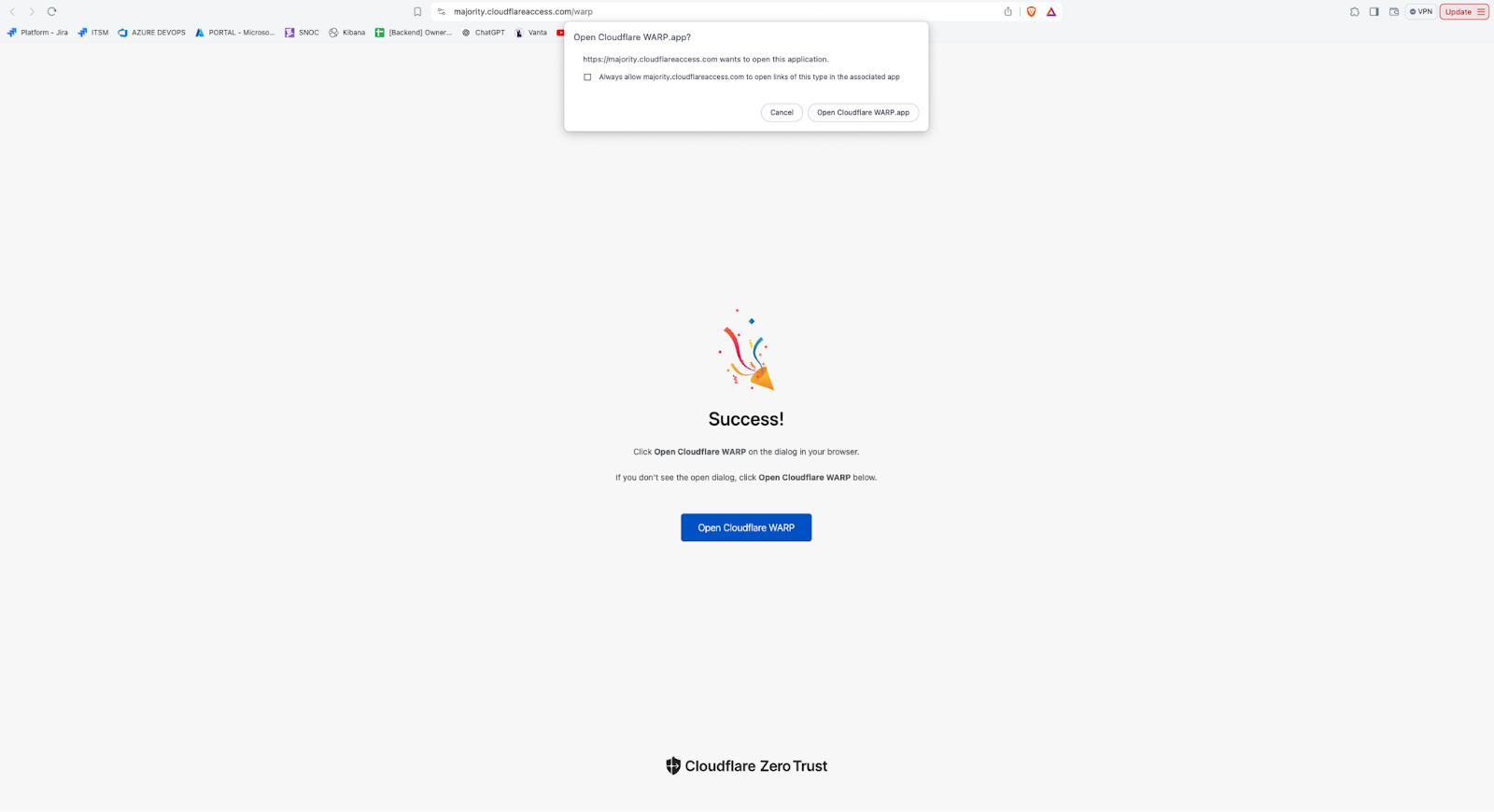
You will be taken to this page. Click on Open Cloudflare Warp app.
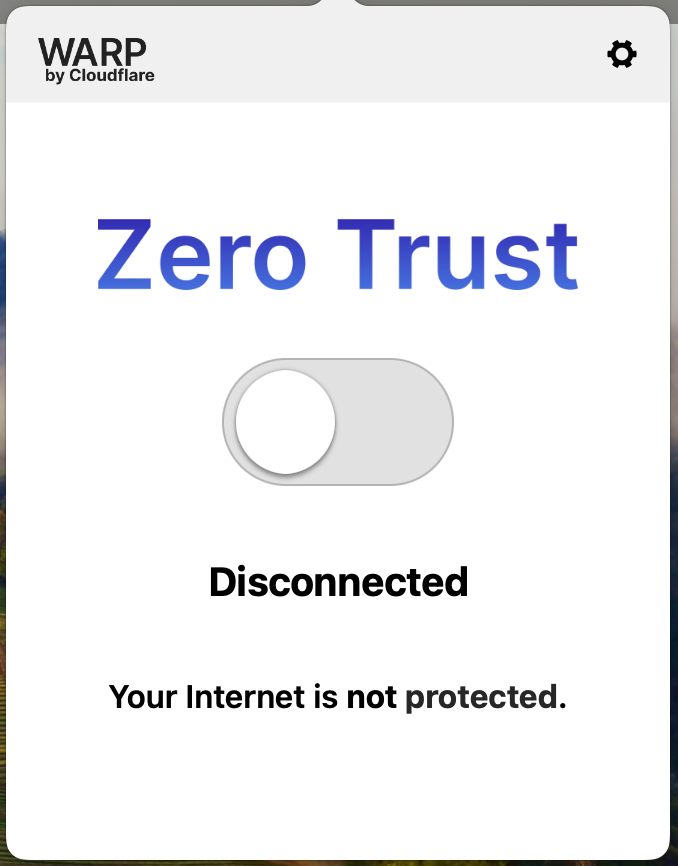
Now you have logged into Cloudflare Zero Trust and can access the routes.
If you are not able to access any of the required links that you could previously access with VPN, please contact the Platform Team.