AWS API credentials How To
For AWS we don't create any individual users rather we rely on our Google Identity Provider (IdP) to point out a role to authenticate for the user typically firstname.lastname@majority.com.
(Typical conf in Google IdP is the IAM role as an attribute on the user like this) 
You typically login here:
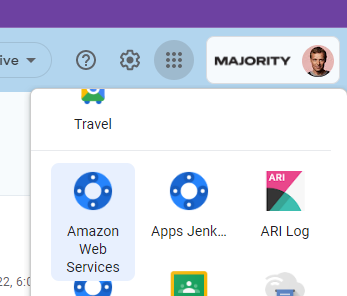
Login in gives you temporary credentials that are valid for 24h. To get a hold of these credentials which are returned in the SAML response there are many ways but the recommended way is to use:
Found in the chrome web store
https://chrome.google.com/webstore/detail/saml-to-aws-sts-keys-conv/ekniobabpcnfjgfbphhcolcinmnbehde
This extension will download your credentials to your web browsers download folder to the file "credentials"
To use AWS cli you only need to copy or link to this file for the authentication. One seamless way of doing it in bash is to add a symlink in your AWS cli config folder like this:
ln -s /mnt/c/Users/JohanDahlqvist/Downloads/credentials ~/.aws/credentials
(AWS cli credentials config help found here https://docs.aws.amazon.com/cli/latest/userguide/cli-configure-quickstart.html)
Don't use CodeCommit :)
You can use the same credentials to authenticate towards CodeCommit git repos in bash by adding the following git helper.
git config --global credential.helper '!aws codecommit credential-helper $@'
git config --global credential.UseHttpPath true~~