Decision Points
Introduction
The whole idea of having risk system is to create business rules revolving around various user actions to stop fraud and at the same time enforce compliance rules based on federal requirements.
Risk system is integrated with Hydra where a user can create rules for predefined decision points. Decision points are nothing but a group of rules which are triggered when user tries to perform an action like doing a remittance transaction etc.

Decision Points
The list of decision points list in the figure above comes from a config file decision-points-config stored in S3 (Stage link). This file is a json array of objects which define names of the decision points.
[
    {
        "Id": 1,
        "Name": "Remittance_Transaction",
        "Description": "When customer is about to send money remittance"
    },
    {
        "Id": 2,
        "Name": "MTU_Transaction",
        "Description": "When customer is about to top up phone numbers"
    }
]
In order to add a new decision config, we need to first add an entry to this file so that it can be shown on the hydra.
Each decision point is composed of rules which are written using features (Read here). Risk system works with 2 types of features:
* Remote Features (Generated from user events)
* Input Features (Sent with api request)
* Limits (In progress)
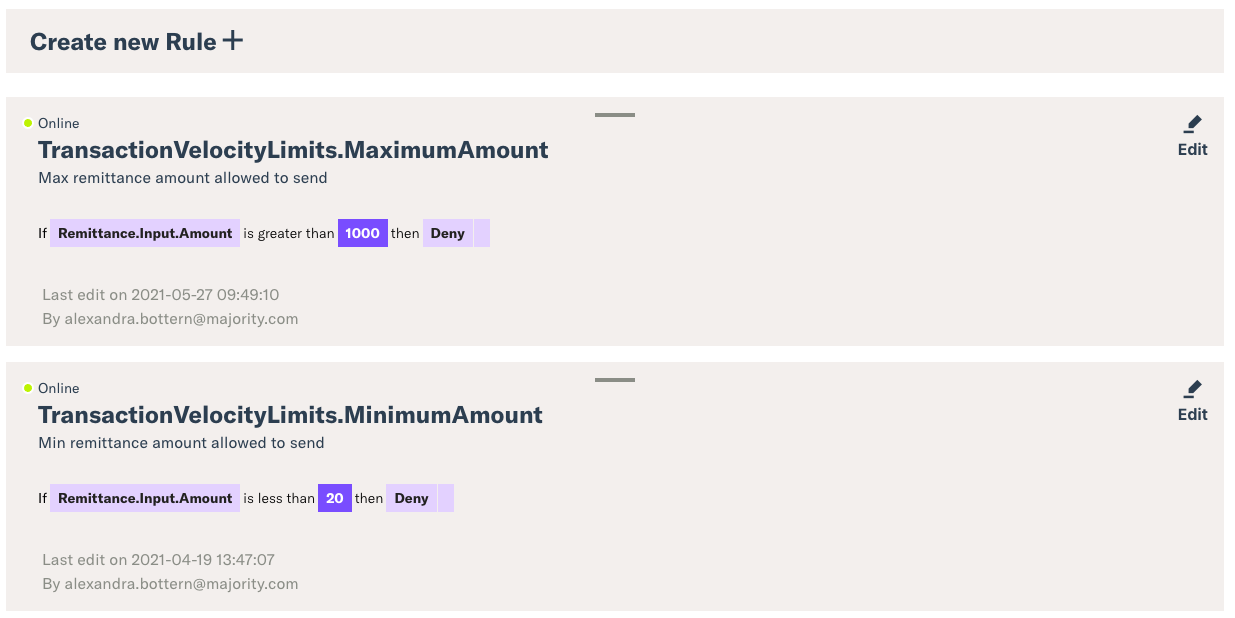
Similar to decision points list, the individual data also comes from config file which is stored in the S3. These files are named using a convention <decision_point>_config.
A typical decision config looks like this:
{
  "DecisionName": "Remittance_Transaction",
  "Actions": [],
  "Features": {
    "fully qualified feature name": "alias"
  },
  "Rules": [],
  "IsActive": true
}